

Coupons are still in use for a reason - they work!
QPONG made loyalty cards digital so that the customer doesn't have to download any app! Keep them coming back - with digital coupons.
See the pass update
A scan updates the customer's Wallet pass.
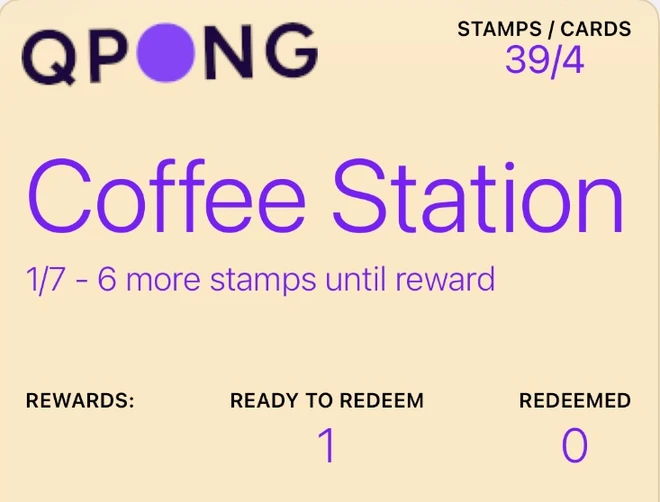
The customer keeps one QPONG loyalty card in Wallet. Each participating place scans it and their own stamp progress updates immediately.
Customer shows QPONG loyalty card
No customer app. The QR code lives in Apple or Google Wallet.
Each place scans the same QR
One code works everywhere. Each scan adds a stamp only to that place's card.
Wallet pass updates
The customer sees each place's progress directly inside the pass.

Stamps / Cards
14/2
North Bakery
5/7 - 2 more stamps until reward
Rewards:
Ready to redeem
1
Redeemed
3

9F2A7C
Try the scan.
4 steps · under 5 minutes
How to use QPONG?
Set up your digital stamp card in under 5 minutes, all from your phone.
-
1. Download the QPONG app
Get it from the App Store or Google Play, sign up and add your business name. Customers see it on their wallet pass.
-
2. Create your stamp card
Choose how many stamps it takes to earn a reward. That's your card done.
7 stamps = 1 reward
-
3. Put the QR on your counter
Print a counter material. Customers scan the QR on it and add the stamp card to their wallet. No app, no sign-up.
-
4. Start stamping!
Scan the customer's wallet pass and tap Add 1 stamp. Reward ready? Approve it. Your team can stamp from their own phones too.
Good questions
The ones we hear most at the counter.
Do I need any extra hardware?
No. A phone with the QPONG app is all it takes. Your POS, card terminal and receipts stay exactly as they are.
Do my customers need an app or an account?
Neither. They scan the QR on your counter and add the stamp card to Apple or Google Wallet. No sign-up, no download.
How long does a stamp take at the counter?
Three steps: tap Scan Code, scan the customer’s pass, tap Add 1 stamp. Three coffees in one order? Add three stamps in one go.
Can my staff stamp from their own phones?
Yes. Invite them by email in the app and they can give stamps and approve rewards from their own phones. Team members are included in the price.
Does the customer’s pass work in other places too?
A customer keeps one QPONG pass and uses it at every QPONG place. Each place adds stamps to its own stamp card only.
What does it cost?
Try QPONG free for 30 days, no credit card required. After that it is one monthly subscription through the App Store or Google Play, which shows the price for your country. No tiers, no hidden fees. Cancel anytime.
Keep. Them.
Coming. Back.
How? QPONG digital coupons.

